-
221201. JS, JQUERY스타터스 백엔드 3기 2022. 12. 1. 17:08
하루입니다.
attr, attr2, attr_prop, event1, a_submit
오늘 한 것
1. 과제 리뷰
2. ... 제이쿼리에 관한 모든 것 ...
과제 리뷰
- 자바스크립트와 자바 언어는 유사하다.
- 하지만 JS의 배열은 동적이고, 자바의 배열은 정적이다.
- 자바로 배열을 만들었다면, let board[5] 로 제한 걸 수 있다.
생성자함수를 이용한 객체 만들기
인풋 값 받아오기
// 인풋값 받아오는 공통 부분
let seq = document.querySelector("#seq");					// DOM 객체 : input
let title = document.querySelector("#title");				// DOM 객체 : input
let contents = document.querySelector("#contents");			// DOM 객체 : input
function Board(seq, title, contents){ this.seq = seq, this.title = title, this.contents = contents, this.time = new Date().toLocaleString(); }; board1 = new Board(seq.value, title.value, contents.value);리터럴 방식을 사용한 객체 만들기
let emp1 = {
        seq : seq.value,
        title : title.value,
        contents : contents.value,
        time : new Date().toLocaleString()
    }
제이쿼리의 함수!!!
- <script src="jquery-3.6.1.min.js"></script>
- $(...) : $로 시작하면 제이쿼리 객체라는 뜻이다.
- $("#선택자").html("결과");
// CSS함수
$("h1").css("color", function(qweqw){ return cols[qweqw]});

// each 함수
$("h1").each(function() {
	$("#result").append(this.style.color + "<br>");
    	$("#result").text(this.style.color + "<br>");
});
attr( ) 함수
- 태그의 종류에 따라 다룰 수 있는 속성의 종류가 다르다.
- 선택한 태그에 대한 속성을 다루는 함수이다.
- img 태그의 width, height는 픽셀로 고정되어서 단위 안 적어도 된다.
- img 태그의 style의 width, height는 단위를 꼭 적어야 한다.
setter 용도의 attr() 사용
$("img:first").attr("src", "/html/images/drinks.jpg");
$("img:first").css("width", 100);			// 이 경우는 attr("src")했을 때 조회되지 않는다.
$("img:first").attr("height", 100);
$("img:first").attr("alt", "경로 오류");

$("img").removeAttr("src");
getter 용도의 attr() 사용
// 한 요소의 속성 조회하기
	$("#result").text($("img:first").attr("src"));


// 여러 요소의 속성 조회하기 (함수를 매개변수로 받는다.)
// $("선택자").each(function(index) { }) 사용한다.
    $("img").each(function(i){
        $("#result").append(i + 1 + "번째 사진의 경로: " + $(this).attr("src") + "<br>");
    });
val( ) 함수
// setter, 매개변수 없는 val( )
$("선택자").val();


// getter, 매개변수 있는 val(parmeter)
$("선택자").val("매개변수");
attr 속성 / .each(function() {})을 사용한 1초마다 이미지 깜빡이게 하기
- 이미지 배열이 존재한다.
- 1초마다니까 setInterval() 함수를 사용한다.
- jquery의 each(function(i) {}) 함수를 사용한다.
- 만약 $(this) 의 src attribute가 undefined(사진이 없어서 alt가 보이는 상태) 라면 $(this)에 attr("src", 이미지 배열[i번째])를 할당(?)한다.
- img의 src가 undefined가 아니라면, src를 removeAttr( ) 한다.
let img_array = ["/html/images/drinks.jpg", "/html/images/cafelatte.jpg"];
 setInterval(function() {
     $("img").each(function(index) {
         if($("img:eq("+index+")").attr("src") == undefined) {
             $(this).attr("src", img_array[index])
             $("#result").text("보인다");
         }
         else {
             $(this).removeAttr("src");
             $("#result").text("안 보인다");
         }

     })
 }, 1000);
attr 속성 / .each(function() {})을 사용한 1초마다 이미지 추가하기
- setInterval을 사용하여 1초마다 <img>를 더해주자. 글고 attrbute의 src에 img_array[i]번째 소스를 넣자.
- 앗 세 번째부터는 흰 바탕 img만 나오넹.
- 그 이유는 내 배열의 인덱스는 0, 1이라서 세번째 img부터는 src에 들어가는 값이 없기 때문이다.
- i/img_array.length를 하면 나머지 값으로 ... 구하는데 ... 갑자기 헷갈리지만 ... 아무튼 그렇다.
setInterval(function() {
    $("#addimg").append("<img>");
    $("#addimg img").each(function(i) {
        // $(this).attr("src", img_array[i]);	이렇게 하면 인덱스 2번부터는 빈 img가 생성된다.
        $(this).attr("src", img_array[i % img_array.length]);
        $(this).attr("width", 100);
        $(this).attr("height", 100);
    })
 }, 1000);

 ---------------------------

$(this).attr("src", img_array[i % img_array.length]);

만약 배열이 index 1이고 length가 2라면,
i = 0, img_array[0/2=0]
i = 1, img_array[1/2=1]
i = 2, img_array[2/2=0]
i = 3, img_array[3/2=1]
i = 4, img_array[4/2=0]
i = 5, img_array[5/2=1]
i = 6, img_array[6/2=0]

이런 식으로 하면 무한반복된다!
빈 <img> 생성 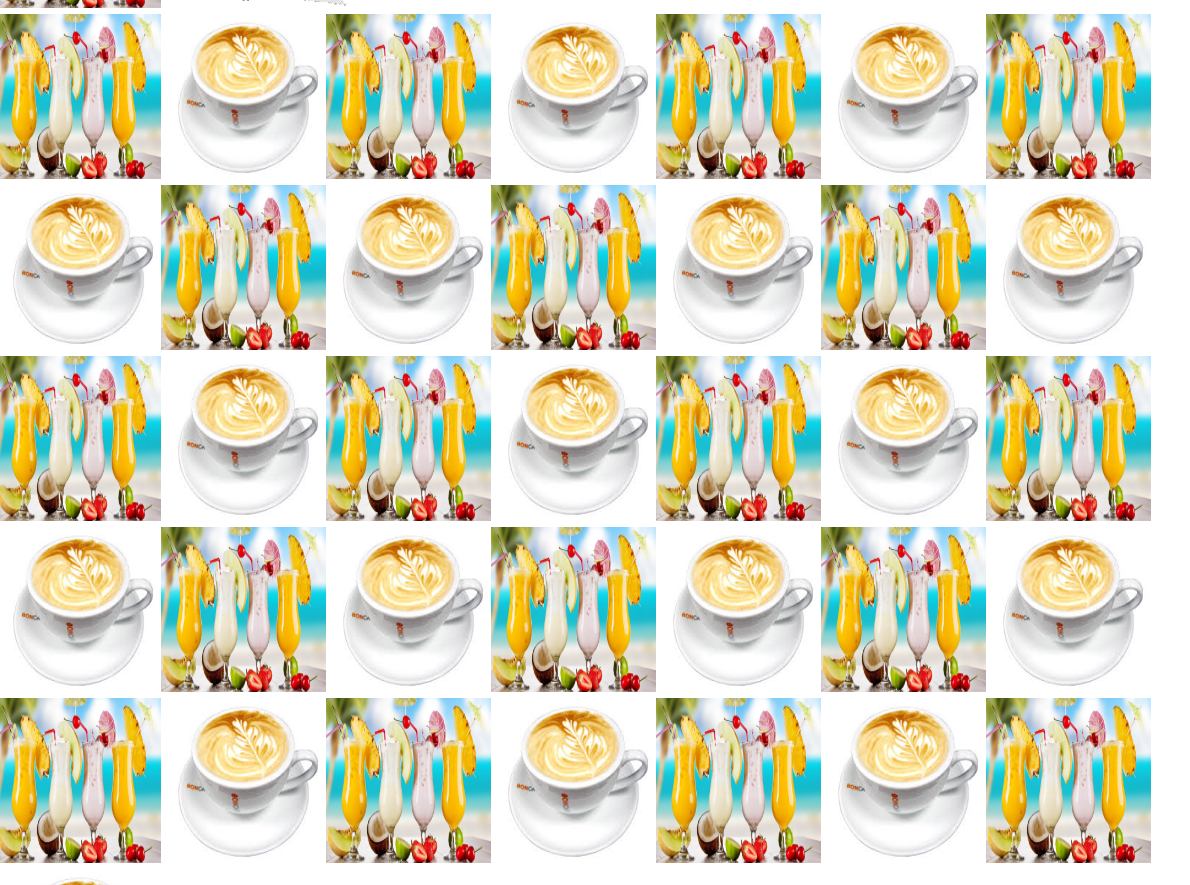
index 0, 1 출력 중
prop( ) 함수
attr() prop() 체크되었나요? checked, undefined true, false 체크하는 방법 $("#a").attr("checked", "checked"); $(this).prop("checked", true); 체크 해제하는 법 $("#a").removeAttr("checked"); $(this).prop("checked", false); $("#link1").attr("href") // selector.html $("#link1").prop("href") // http://localhost:8080/js/jquery/selector.html // checked 됐나 안 됐나 확인할 때 $("#a").attr("checked"); // checked $("#a").prop("checked"); // true1초에 한 번 체크 햇다 안 햇다
// attr() 로 체크했다 안 했다 만들기
setInterval(function() {
    $("input").each(function(index) {
        if($("#a").attr("checked") == 'checked') {
            $("#a").removeAttr("checked");
        } else {
            $("#a").attr("checked", "checked");
        }
    })
}, 1000);

// prop() 로 체크했다 안 했다 만들기
setInterval(function() {
    $("#a").each(function(index) {
        if($("#a").prop("checked")) {
            $("#a").prop("checked", false);
        } else {
            $("#a").prop("checked", true);
        }
    })
}, 1000);
제이쿼리의 이벤트 처리
- 이벤트처리 함수 이름 무조건 on
- $("선택자").on('이벤트', 함수( ) { ... } ) ;
키보드 입력 처리
1. 키 입력 내용 출력하기
$("#keyout").html($("#keyin").val());2. 0-9 숫자 출력하기
// 0의 키코드는 48, 9의 키코드는 57이다. 두 숫자 사이에 키코드가 위치해야 하낟.
// 키코드 말고 입력 숫자를 보고 싶다면 -48 해주자.
// e에 이벤트 객체 들어있당 !!!

$("#keyin").on('keypress', function(e) {
    if(e.keyCode >= 38 && e.keyCode <= 57) {
        $("#keyout").html(e.keyCode - 48);
        $("#keyout").css("background-color", "green");
    } else {
        $("#keyout").html("부적합")
        $("#keyout").css("background-color", "red");
    }
)};
3. 전화번호 입력하기
let regex = /^010[0-9]{3,4}[0-9]{4}$/;	// 정규표현식
let keyin = $("#keyin").val();			// 누르는 키값 들고 오기

$("#keyin").on('keypress', function(e) {
    if(keyin.match(regex) != null) {	// 이 방식은 일치하면 입력값, 불일치면 null 반환한다.
        //if(regex.test(keyin) 이 방법도 사용 가능하다.		// 이건 일치하면 true이다.
        $("#keyout").html(keyin.match(regex));
        $("#keyout").css("background-color", "green");
    } else {

        $("#keyout").css("background-color", "pink");
    }
});
preventDefault
preventEvent는 $("a").on('click', function(ev){} ) 의 매개변수 ev, 즉 이벤트 객체인 ev 안에 들어있다.
<a href=""> </a>는 링크를 클릭하면 자동으로 링크로 연결되는 이벤트를 가졌다. 클릭해도 이동 안 하게 하려면 아래처럼 적자.
$("a").on('click', function(ev) {
    ev.preventDefault();
})
submit 누르고 바로 이동하면 유효성 검사할 수 없다. 자바스크립트로 넘기고 login.jsp로 넘기자.
submit은 form 전체가 이동하므로, form에 id를 주고 e.preventDefault(); 하도록 하자.
맥시멈 콜백 에러가 떠서 아래의 코드를 적었더니 잘 작동했다. unbind(); 는 멈춘 이벤트 동작을 다시 작동하게 한다.
$(this).unbind('submit').submit();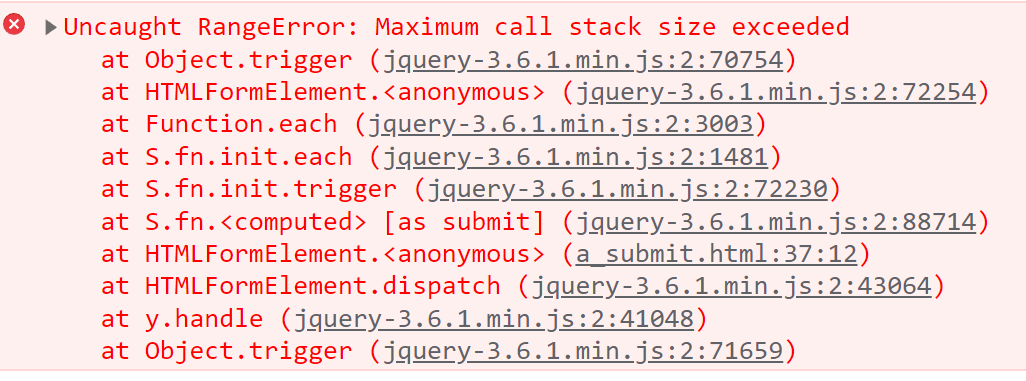
let pw_regex = /^[0-9]{5}$/;

// 일치하면 true인데, 정규식과 일치하지 않으면 통과하지 못하니까 !를 사용했다.
// test()는 앞의 것과(배열) 뒤의 것(string)을 비교하는데,
// 일치하면 true이다. 일치하지 않으면 정규식 통과 못 한다.
if(!pw_regex.test(pw)) {
    alert("암호 부적합");
    event.preventDefault();
}
하루 끝
와 정말 ... 힘든 하루였다. 더 정성들여 기록하고 싶었지만 정말 한 게 너무 너무 많아서 ...
오늘 한 건 제이쿼리, 제이쿼리의 함수, 제이쿼리의 이벤트 발생이다.
이제 과제하러 가야지 ...
'스타터스 백엔드 3기' 카테고리의 다른 글
유데미 스타터스 취업 부트캠프 3기 - 백엔드 2주차 (0) 2022.12.02 221202. react.js, VSCode, node.js (1) 2022.12.02 계속 발생하는 mylocation.html:20 Uncaught TypeError: Cannot set properties of null (setting 'innerHTML') at success 에러 (0) 2022.11.30 1129. JS (시계, 계산기, 이벤트, 무명함수, 화살표함수) (0) 2022.11.29 <button /> 과 <input type="button"/> 의 차이점 (0) 2022.11.29